
git branch
branch란 작업공간을 말하며 하나의 프로젝트를 여러명이서 협업하여 작업 할 때 맡고 있는 부분만 따로 작업하고 최종 작업물에 덮어 씌우는 등 작업관리에 도움을 주어 자주 사용한다.
git branch 만들기
- branch 생성
git branch <브런치 이름>
- 생성된 branch 확인
git branch -a
- checkout 으로 브런치 변경 checkout -b(브런치를 만들면서 브런치선택)
- 찾아보니 예전엔 checkout 밖에 없었지만 버전이 올라가면서 switch 명령어가 생김
- 최신 버전은 switch를 쓰는 것을 권고하는거 같음( 2.23 version 이상)
git checkout <이동할 브런치 이름>
git switch <이동할 브런치 이름>
- push하여 github에서 확인 하기
git add .
git commit -m "<변경된 내용 작성>"
git push origin <브런치 이름>
- github에 branch 만들어 진거 확인
- branch 이름은 aaa로 만들었고 위의 과정을 거쳐 github에 브런치가 생성 확인

git push, pull 오류
처음 branch를 만들었을때 main 브런치의 내용을 pull로 받아오고 push 했더니 아래와 같은 오류가 나왔다.
To https://github.com/*/git_test.git
 ! [rejected]        main -> main (non-fast-forward)
error: failed to push some refs to 'https://github.com/ojhhh/git_test.git'
hint: Updates were rejected because the tip of your current branch is behind
hint: its remote counterpart. Integrate the remote changes (e.g.
hint: 'git pull ...') before pushing again.
hint: See the 'Note about fast-forwards' in 'git push --help' for details.
로컬에는 없지만 원격저장소에는 파일이 있을때 나오는 오류로 pull을 받고 다시 push를 하면 되고 강제로 push 하려면
git push origin +main
git push -f origin main
그 중에 pull을 받으라고 해서 pull을 했더니 아래와 같은 오류가 나왔다.
From https://github.com/*/git_test
 * branch            main       -> FETCH_HEAD
hint: You have divergent branches and need to specify how to reconcile them.
hint: You can do so by running one of the following commands sometime before
hint: your next pull:
hint:
hint:   git config pull.rebase false  # merge
hint:   git config pull.rebase true   # rebase
hint:   git config pull.ff only       # fast-forward only
hint:
hint: You can replace "git config" with "git config --global" to set a default
hint: preference for all repositories. You can also pass --rebase, --no-rebase,
hint: or --ff-only on the command line to override the configured default per
hint: invocation.
fatal: Need to specify how to reconcile divergent branches.
예전에는 pull을 하면 자동으로 merge가 되었지만 지금은 merge를 할지 fetch를 할지 정해 줘야 하는거 같다.
기본적으로 예전 버전 처럼 merge로 동작하게 할지 rebase나 fast-forward 방식으로 할지 설정해 주면 된다.
# rebase
git config pull.rebase false

# rebase
git config pull.rebase true

# fast-foward
git config pull.ff only
그런데 위와 같이 설정을 하면 영구적으로 바뀌는 거라 pull 할 때 따로 설정해서 사용 하는것을 권장한다고 한다.
#rebase
git pull --rebase

#fast-foward
git pull --ff-only
※ fast-foward 방식을 더 추천한다고 함※
git branch merge 하기
나눠져있던 브런치를 하나의 메인에 합치는 것으로 따로 작업을 하고 마지막에 하나의 프로젝트로 합칠때 merge를 사용한다.
- 합칠 프로젝트가 있는 브런치에서 merge
# main 브런치에서 merge
git merge <합칠 브런치 이름>
- github에 올리기
git add .
git commit -m "<작업 내용 입력>"
git push origin main
- github의 main 브런치 확인
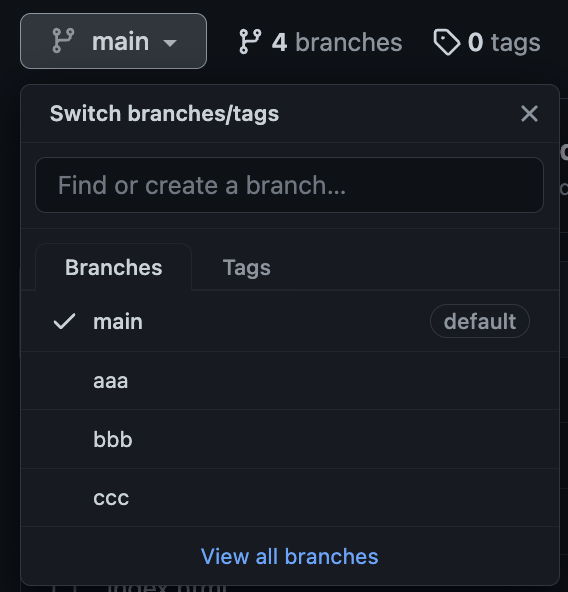
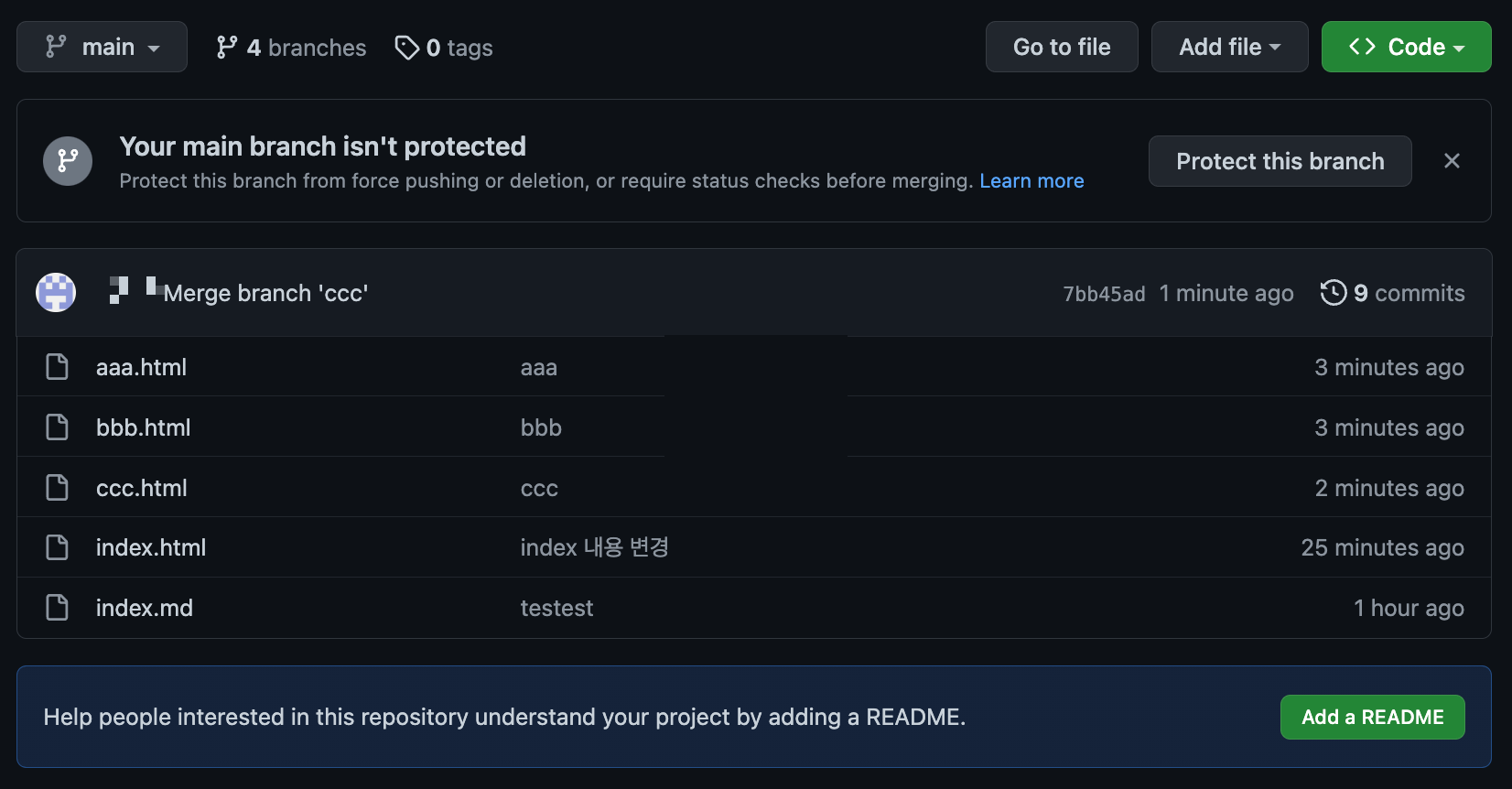
git merge 할때 vim 나오는 경우
merge를 할때 vim 편집기가 켜지면서 아래와 같은 문구가 나온다.
Merge branch ‘aaa'
# Please enter a commit message to explain why this merge is necessary,
# especially if it merges an updated upstream into a topic branch.
#
# Lines starting with '#' will be ignored, and an empty message aborts
# the commit.
merge를 할때 commit 메시지를 남기라는 뜻으로 남기지 않고 작업을 진행하려면 편집기에서 :wq! 써주면 된다.
'GIT' 카테고리의 다른 글
| [GIT] git 이해하기 (0) | 2023.03.09 |
|---|